The Eklipse alternative with a real editor
Eklipse finds clips in your streams and turns them into shorts. So does OpenStreamTools, and then gives you a full editor for each one, with 4K export, for €15 a month. Eklipse Premium Pro is $39.99 a month.
OpenStreamTools vs Eklipse
| Feature | OpenStreamTools | Eklipse |
|---|---|---|
| Price for all of thisper month, billed monthly | €15 Starter | $39.99 Premium Pro |
| Free plan | The whole editor 4K export, no watermark | Not listed |
| AI clip finder on Twitch VODs | Yes 75 hours of stream a month, 225 on Pro (€25) | Yes |
| Kick VODs | Yes In the desktop app | Yes |
| Best export | 4K Free, on every plan | 1080p, 60 fps |
| Profanity filter | Yes Masked and muted, from Starter | Not listed |
| Invite editors | Yes Up to 3 editors | Not listed |
| Post to your socials | Yes TikTok, YouTube and Instagram, from Starter | Yes |
| Mark clips live with a hotkey | Yes Free, with OBS | No Only voice commands |
| Your videos stay on your computer | Yes Edited in your browser or the app | No Connects to your channel |
| Credits or usage meter | No credits | Clip limits Depends on the plan |
From each tool's own pricing page on 30 October 2026. Every price is the plan that has everything in this table, billed monthly. The full comparison.
Why streamers switch from Eklipse
Less for more
Starter is €15 a month for the clip finder, AI captions, posting and a team of up to 3 editors. Eklipse Premium Pro is $39.99 a month.
4K instead of 1080p
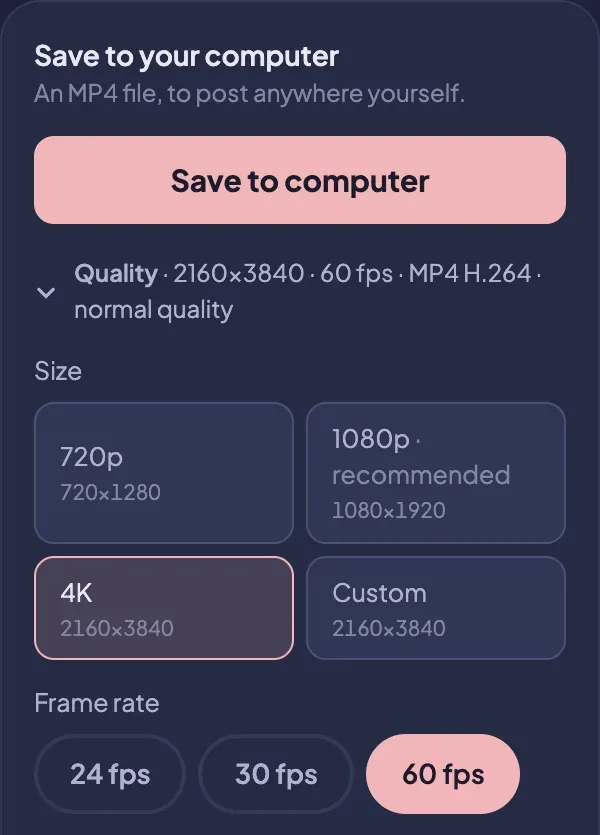
Eklipse exports up to 1080p at 60 fps. Here you can export in 4K at 60 fps, on every plan, without a watermark.
A real editor
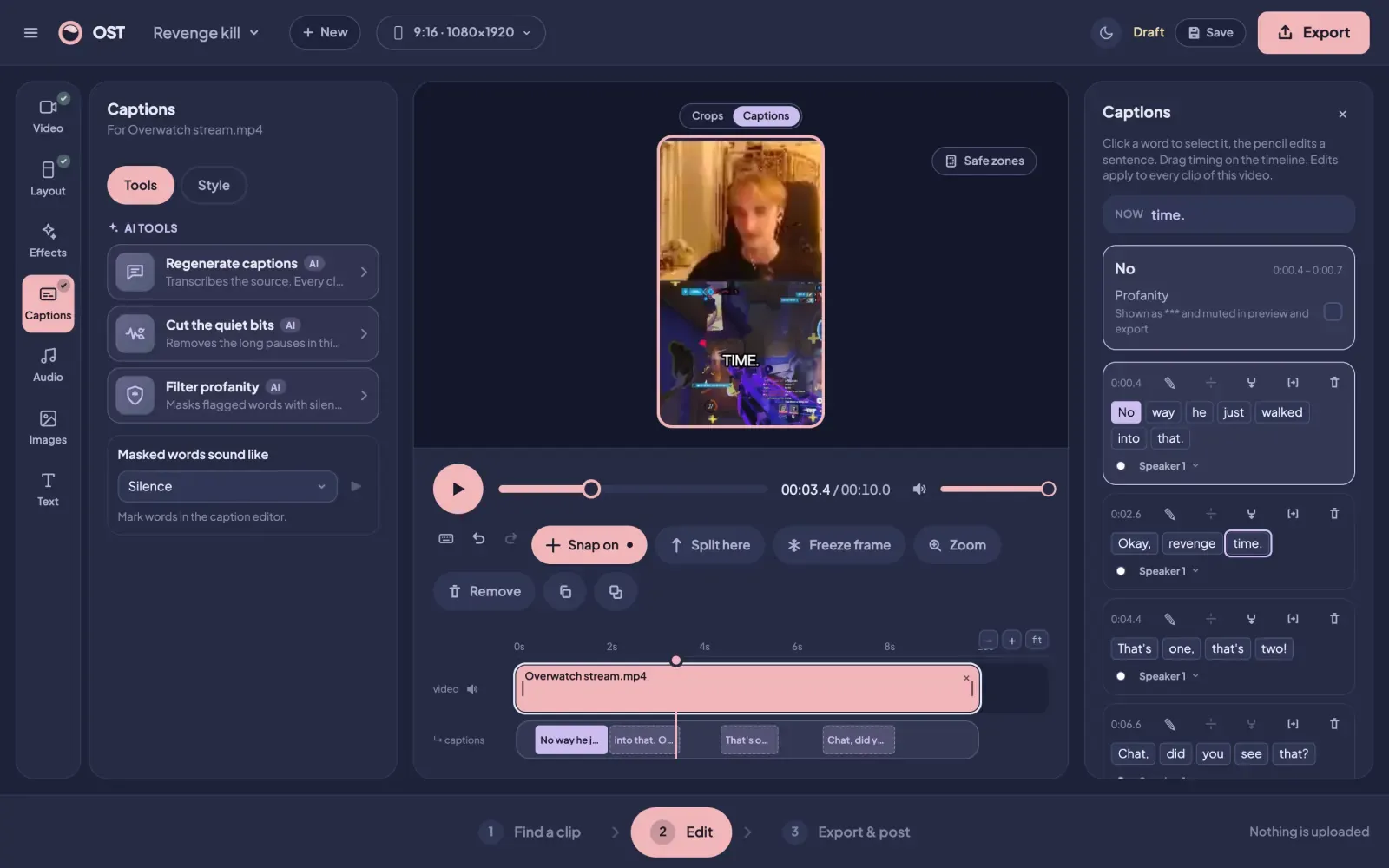
Every clip opens on a timeline: trim it, split it, move the facecam, style the captions word by word, add sounds and text. The words stay with the video when you cut.
No clip limits
Eklipse limits clips per plan. Starter here searches 75 hours of stream a month (Pro: 225 hours for €25) and does not count clips.
How it works
- Paste a VOD link. A Twitch VOD, a Kick VOD in the desktop app, or your own recording.
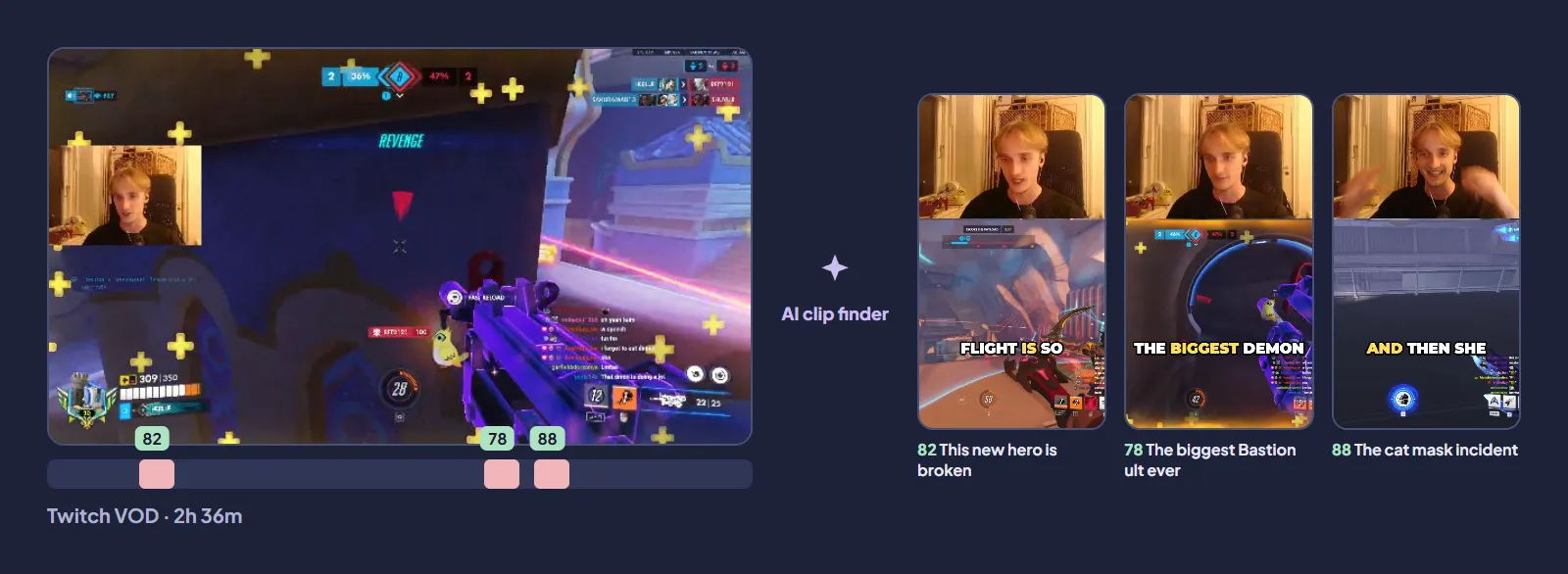
- The AI finds the moments. It reads the whole stream and ranks the clips worth posting, each framed as facecam over gameplay.
- Open one in the editor. Trim it, style the captions, and export in up to 4K, or post it to YouTube.
Where Eklipse is better
Eklipse connects to your channel and lets you say "clip it" out loud while you play. Live mode here uses a key on your keyboard instead, from the desktop app with OBS. If voice commands are what you need, that is a fair reason to pick Eklipse.
Questions
Is OpenStreamTools cheaper than Eklipse?
Yes, for the plan with everything: Starter is €15 a month and Eklipse Premium Pro is $39.99 a month, both billed monthly.
Does it work with Kick like Eklipse?
Yes. Kick VODs work in the desktop app, next to Twitch VODs and your own recordings.
Can I export in 4K?
Yes, on every plan including the free one, with no watermark. Eklipse stops at 1080p.
Can I try it before paying?
Yes. The editor is free and not a trial. Starter and Pro, with the clip finder, have a 7-day free trial.
Prices and features from Eklipse's own pricing page on 30 October 2026. If something here is out of date, tell us and we'll fix it.
Try it on your own stream
The editor is free, with 4K export and no watermark. The AI clip finder is in Starter and Pro, with a 7-day free trial.
Turn my stream into clipsAlso compared: OpusClip, StreamGen, or all of them side by side.