A Spikes Studio alternative for Twitch streamers
· Updated
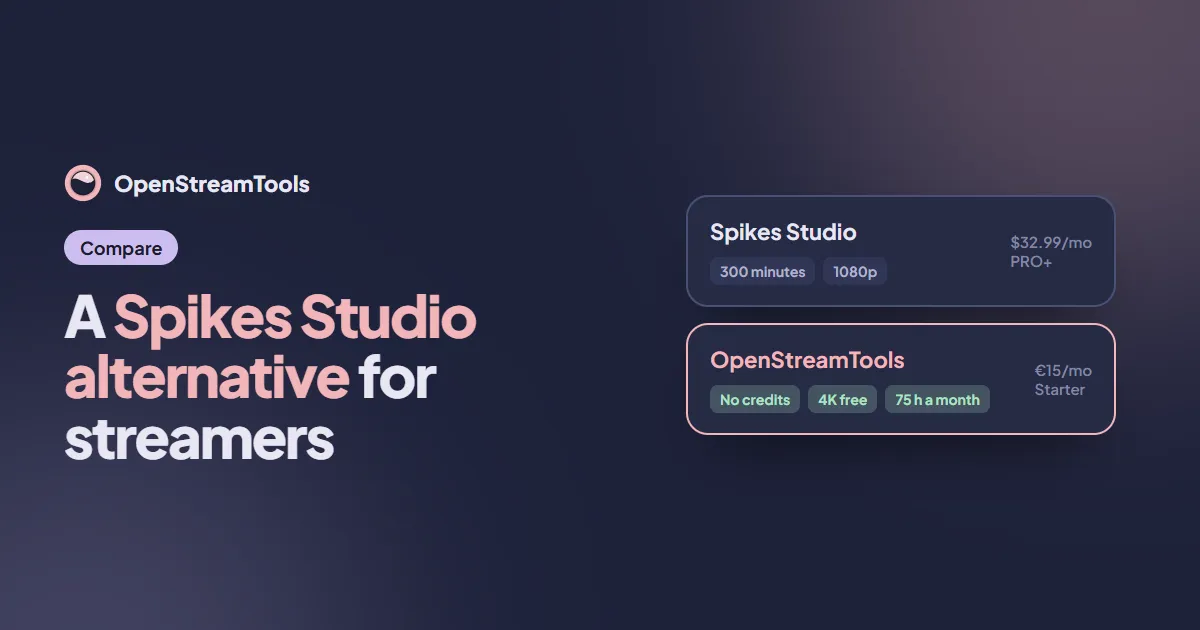
Spikes Studio started as a clip tool for streamers. Today it sells itself to small businesses and teams: clips, captions, scheduling and analytics. Streamers still look it up. Here’s what you get for the money, next to OpenStreamTools.
What Spikes Studio costs
From Spikes Studio’s pricing page on 18 November 2026, billed monthly:
- Basic: free, up to 30 minutes of video a month, 720p, with a watermark.
- PRO+: $32.99 a month, 300 minutes a month, 1080p, no watermark.
- Enterprise: $115.99 a month, 1,200 minutes a month, 1080p.
Paying yearly brings PRO+ to $14.09 a month. A 4-hour stream is 240 minutes, most of a PRO+ month.
What OpenStreamTools costs
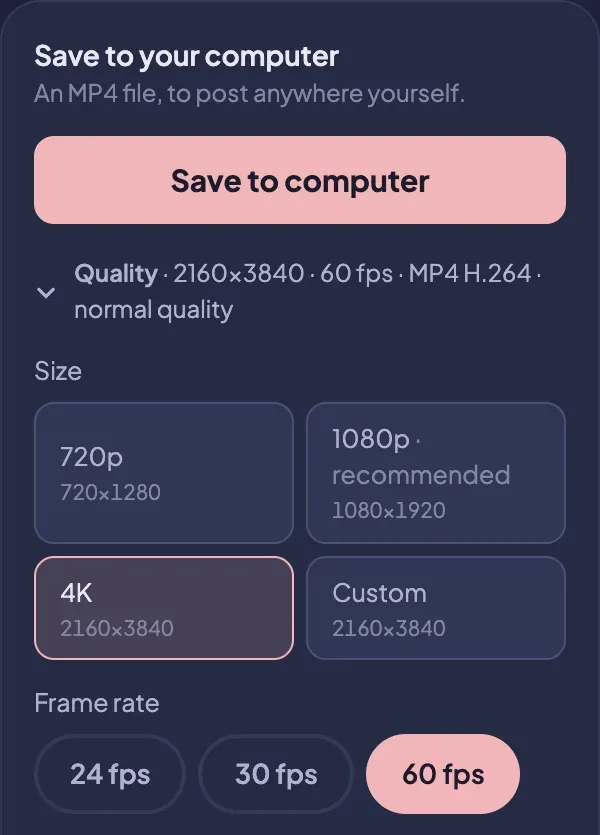
The editor is free, with 4K at 60 fps and no watermark. The AI clip finder comes with Starter, €15 a month, and searches 75 hours of stream a month, with no minutes or credits to count. Starter has a 7-day free trial. Clip a lot? Pro is €25 a month for 225 hours.
Side by side
| OpenStreamTools Starter | Spikes Studio PRO+ | |
|---|---|---|
| Price | €15 a month (Starter) | $32.99 a month |
| How much you can clip | 75 hours of stream a month (225 on Pro, €25) | 300 minutes a month |
| Best export | 4K, on every plan | 1080p |
| Free plan | The whole editor, 4K, no watermark | 30 minutes, 720p, watermarked |
| Twitch VODs | Yes | Not listed |
| Kick VODs | Yes, in the desktop app | Not listed |
| Your videos | Stay on your computer | Uploaded |
4K, on the free plan
Editing and exporting happen in your browser or the desktop app, so your source videos are never uploaded. A 4K export costs us nothing, and it’s free.
Mark moments while you’re live
In the desktop app, press a key during your stream and the minute before becomes a clip, cut from your own OBS recording. Free, on every plan. After the stream, the clip finder can go through the rest.
Where Spikes Studio is better
Spikes Studio has analytics for your posts and is built for teams that run a brand’s socials. It also posts to LinkedIn and Facebook. If you’re a business, that’s what it’s for.
If you’re a streamer, you want 4K, long VODs and a price that doesn’t count minutes. That’s €15 a month here. Every tool side by side: the comparison page.
Questions streamers ask
How much does Spikes Studio cost?
On its pricing page: Basic is free with 30 minutes a month, 720p and a watermark. PRO+ is $32.99 a month for 300 minutes in 1080p, Enterprise $115.99 for 1,200 minutes, billed monthly.
Is there a Spikes Studio alternative with 4K?
OpenStreamTools exports in 4K at 60 fps on every plan, the free one included, with no watermark.
Can I clip Twitch VODs with OpenStreamTools?
Yes. Paste a Twitch VOD link and the clip finder reads the whole stream. Kick VODs and your own recordings work too, Kick in the desktop app.